Familiar from the first minute.
The VS Code editor, keybindings and themes, with extensions from Open VSX. Remote over SSH, WSL and Dev Containers are built in, and your Rig mesh machines and Rig Launch servers show up in the remote list.
Rig Code is a code editor like Cursor, with an AI agent you choose: The Duke, Claude, Grok, GPT or Gemini. Every agent can see the running app through Rig, so it starts the server, reads the error, fixes it and checks again before it hands back.
Add-on to any paid Rig plan · from +$20 a month · Mac, Windows and Linux first, browser and mobile later · not on sale yet
Join the beta today
Rig Code is not on sale yet. Beta places go out in signup order.
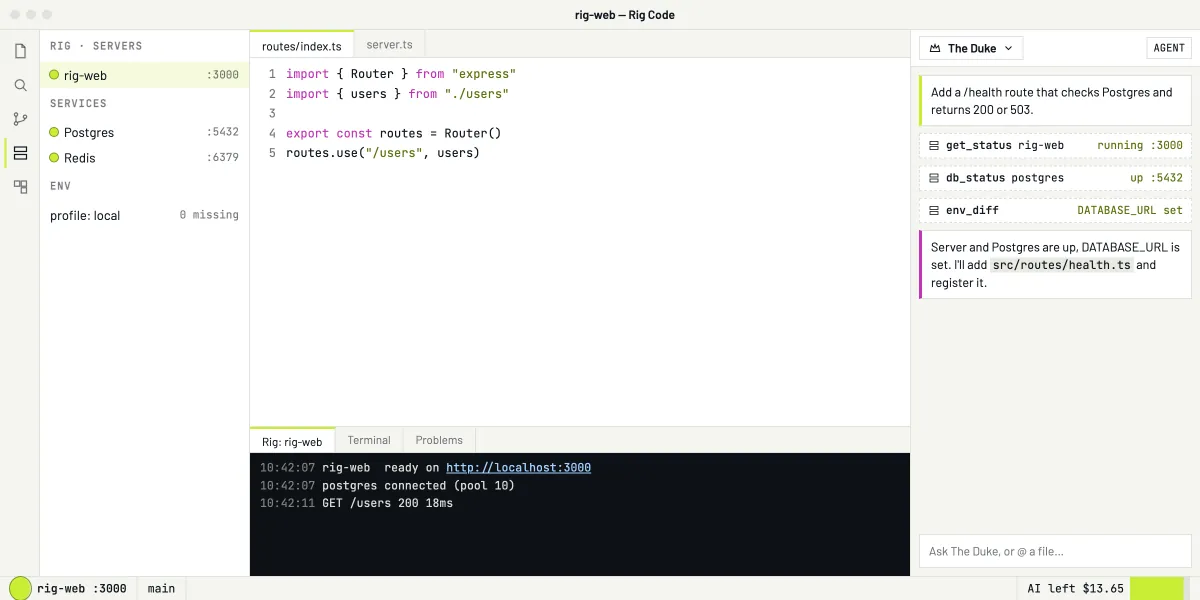
Rig Code is built on Code-OSS, the open-source core of VS Code. Your keybindings, themes and extensions carry over. What is new is that the editor and its agent are connected to everything Rig runs on your computer, on Mac, Windows and Linux.
The VS Code editor, keybindings and themes, with extensions from Open VSX. Remote over SSH, WSL and Dev Containers are built in, and your Rig mesh machines and Rig Launch servers show up in the remote list.
Agent plans and edits across files and shows each change as a diff to accept. Ask answers questions about the code and the running app without changing anything. Edit rewrites a selection. Tab completes the next lines as you type.
Servers, ports, logs, crashes, env, Postgres and Redis, Live Links and git, all visible to the agent through Rig's own tools. Other editors' agents only see files and a terminal.
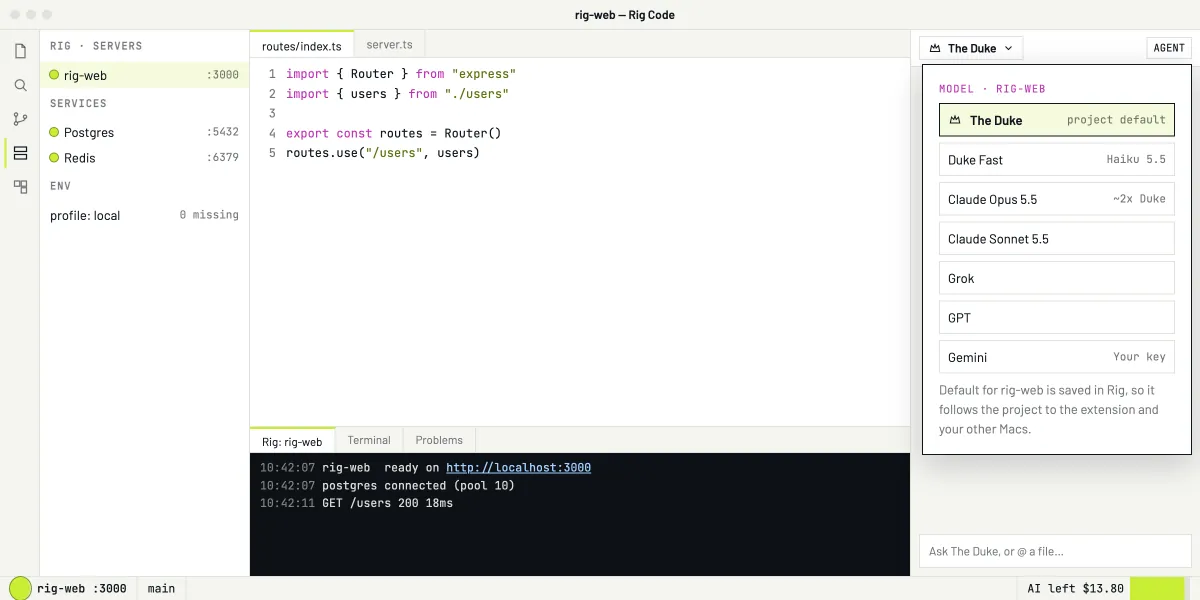
The model picker sits at the top of the agent panel. Whichever model you pick gets the same tools, the same Rig context and the same approvals.
The Duke is Rig's own coding agent. He reads the running app before he edits and checks it after, and he is built to finish a task for less of your included AI than a general model.
Claude, Grok, GPT and Gemini are one click away. The default for each project is saved in Rig, so it follows the project to your other computers. Bring your own API key for any provider if you prefer.
Every agent in the editor can use Rig: server status, logs, crash reports, env, the database, and screenshots and console errors from the page itself. So a change is not done when the file is saved. It is done when the app works.
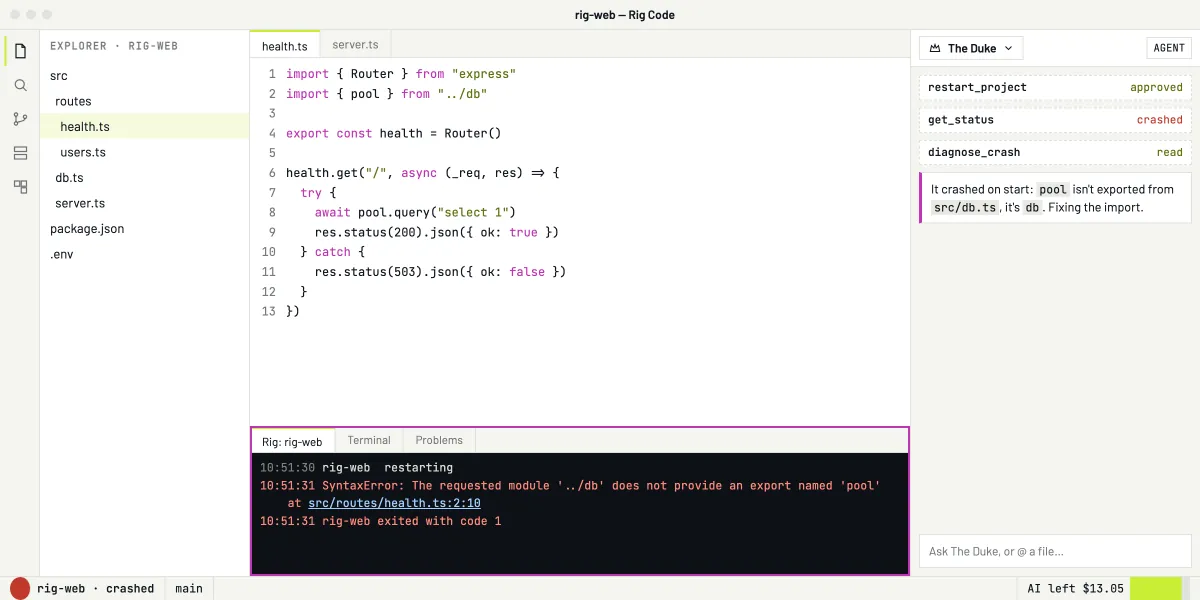
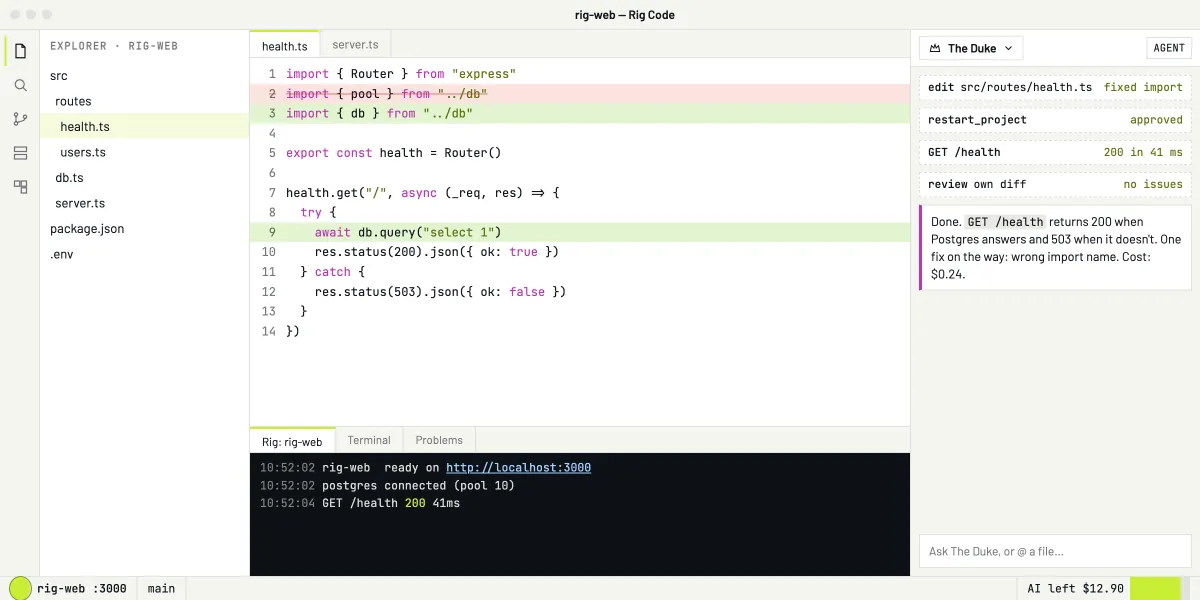
Which servers run, on which ports, and whether they are healthy.
The agent reads the crash, not a copy you pasted into chat.
Missing env keys, and Postgres and Redis status, before it touches code.
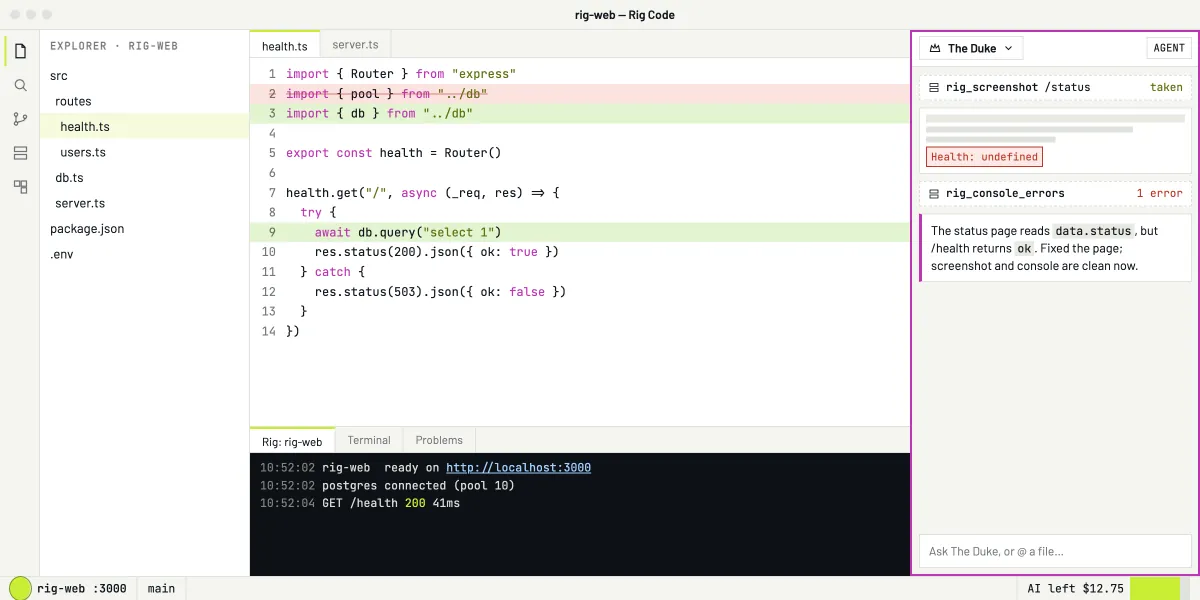
After a UI change it opens the page, takes a screenshot and reads the console.
Rig's local browser gives every agent a screenshot of the page and its console errors. After a UI change The Duke looks at the result, fixes what is broken and shows you the screenshots in the thread.
Here the route worked, but the status page read the wrong field. The screenshot caught it.
Edits arrive as diffs to accept. Terminal commands follow one policy per project, which you can change. Anything that touches the running app waits for Approve in Rig, the same as it does for every agent today.
ls, git status, your test, lint and build scripts. Heavy runs wait in Rig's queue, so five agents cannot start five test suites at once.
Installs, scripts not on the list and network calls ask in the editor before they run. Restarts, deploys and database restores wait for Approve in Rig.
rm -rf outside the project, git push --force, sudo, writes outside the workspace, and anything that touches a Live lane.
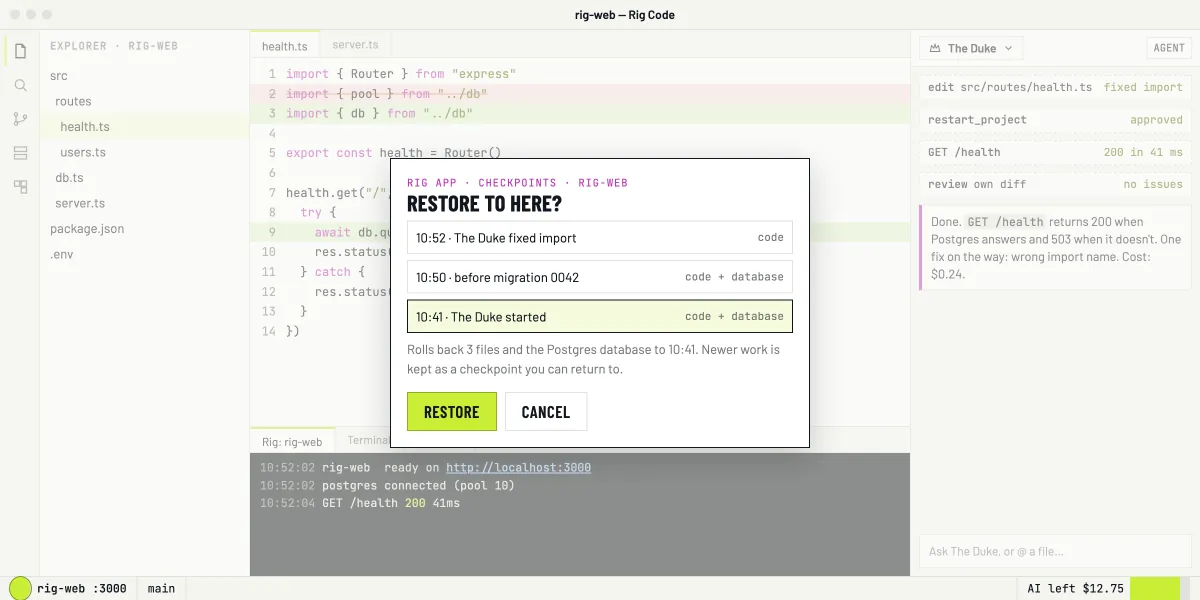
Rig takes a checkpoint of your working tree when an agent starts and before each change. When the agent is about to run a migration or a seed, Rig snapshots the database too.
"Restore to here" rolls back the code and the database together, approved in Rig. No half-migrated database left behind.
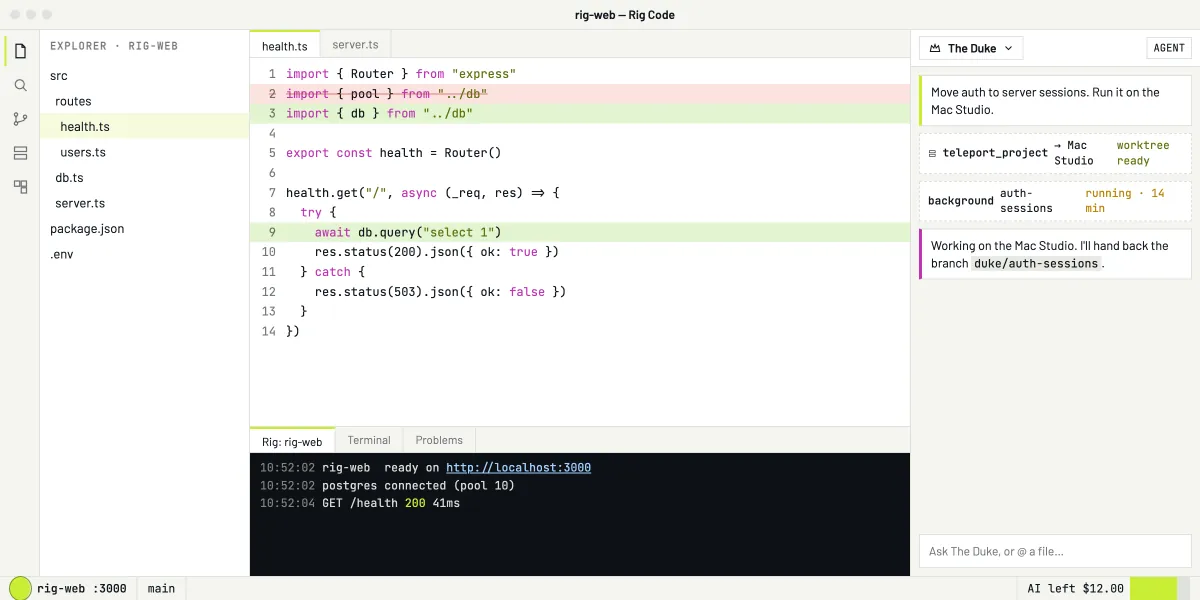
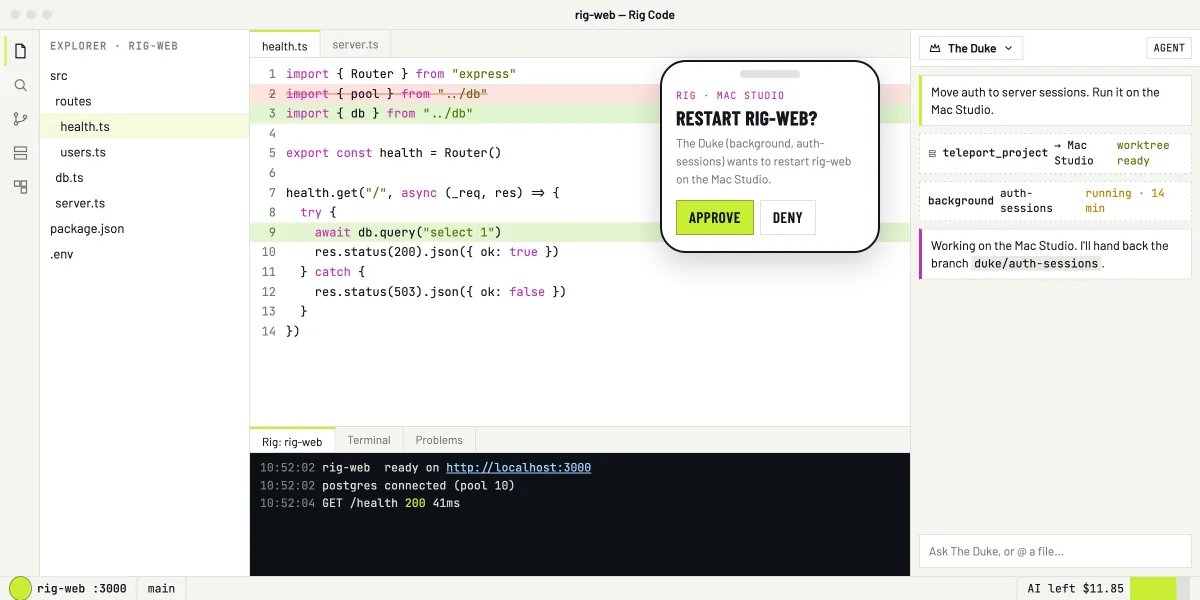
Hand a task to a background agent and keep working. It runs in its own git worktree on this computer, or on another computer in your Rig mesh using that machine's runtime, and hands back a branch.
One, three or ten at a time, depending on your plan.
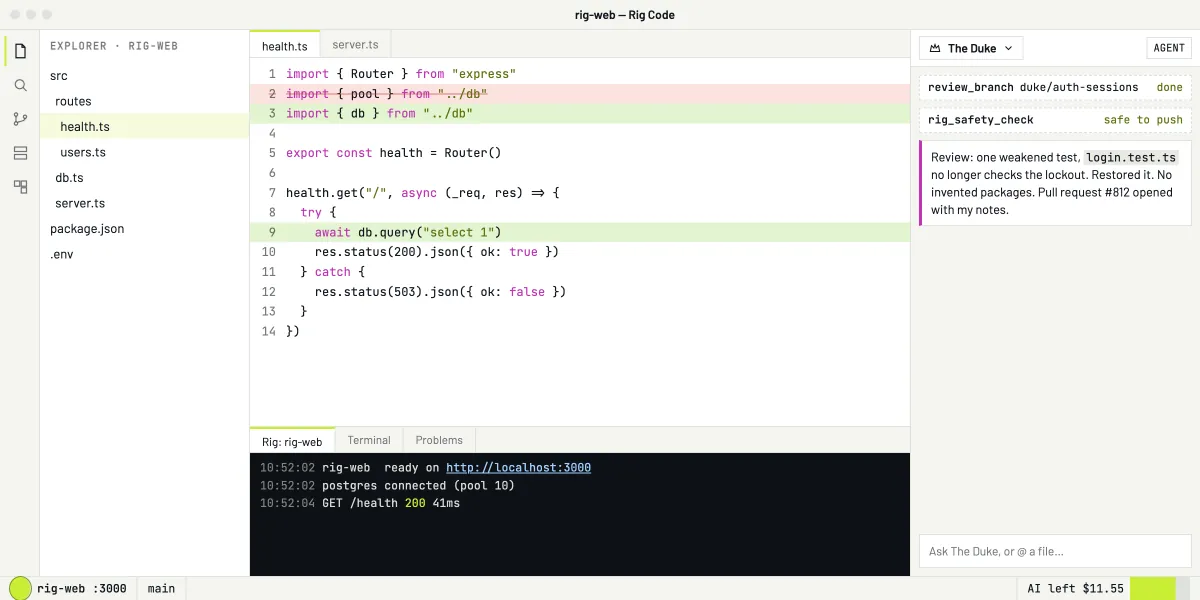
Before a push, The Duke reviews the branch and runs Rig's safety check. He looks for invented packages, broken contracts, removed checks and weakened tests, then comments on the GitHub pull request.
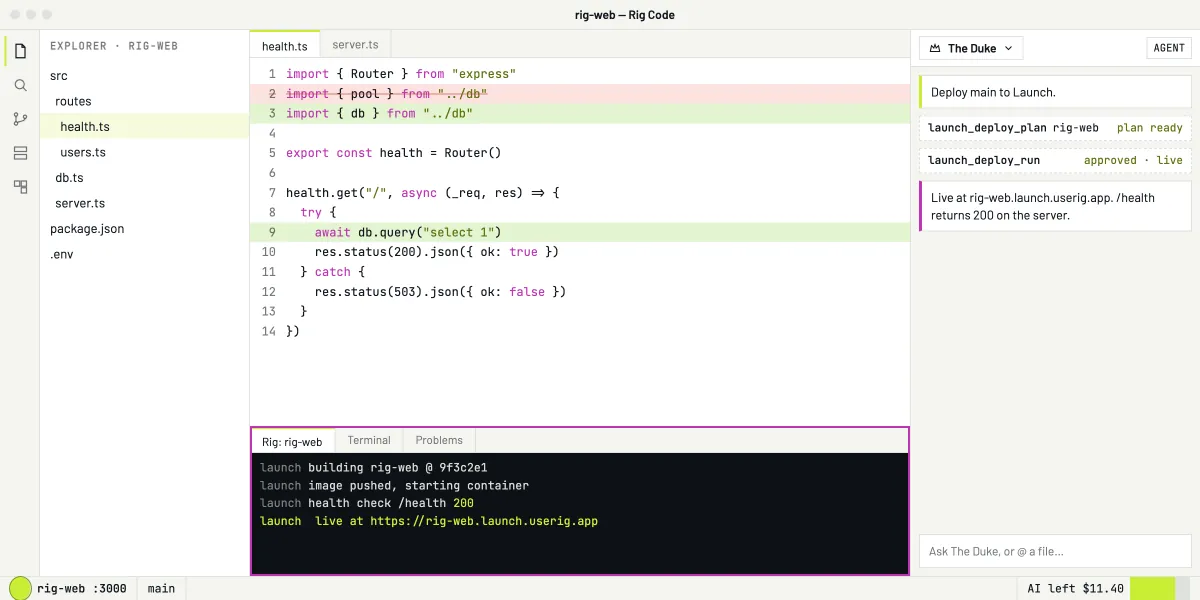
"Deploy to Rig Launch" in the command palette plans the deploy, shows you what will change and runs it once you approve. From code to a live server without leaving the editor.
When The Duke finishes or needs an approval, the Rig iPhone app gets the notification and the approval card. Approve the restart from the sofa, or continue the chat on your phone.
Rig's cloud features reach your projects through the Rig app on your computer. They never sync your code.
The codebase index and its embeddings are built and stored locally. Nothing is uploaded to Rig to search your code.
The agent, its tools and its approvals run on your computer. Only model calls leave it, through the Rig AI gateway to the model you picked.
The gateway keeps usage counts for your plan, never prompts or code. Providers are used under zero-data-retention terms where they offer them.
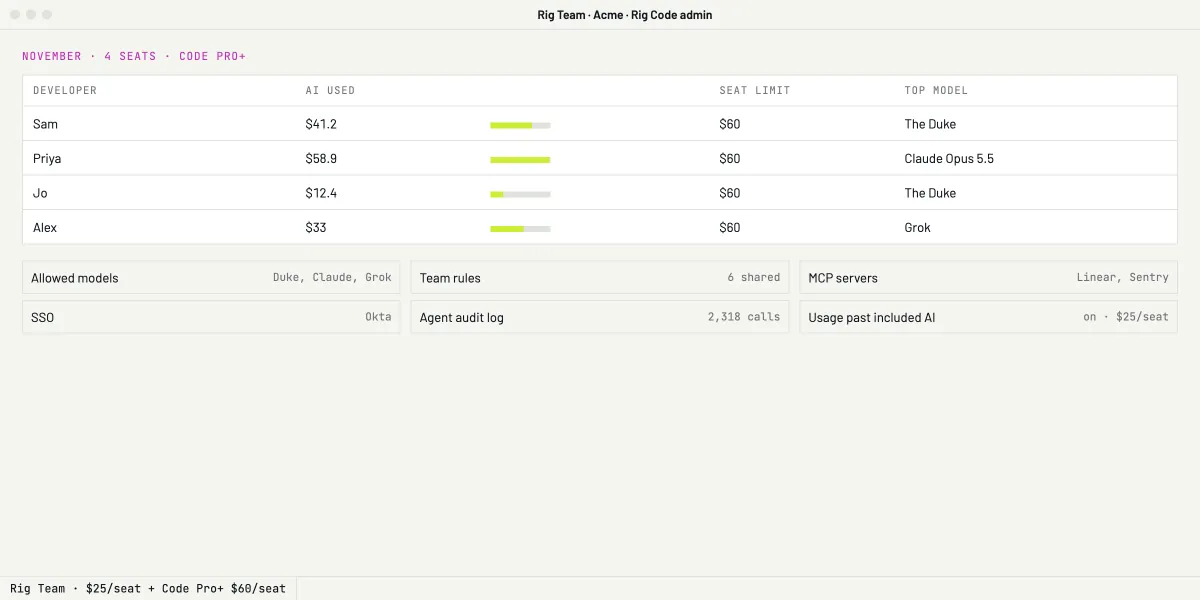
On Rig Team and Agency, admins see each developer's AI use against a per-seat limit, choose which models the team may use, and share rules and MCP servers across every project.
SSO and the agent audit log cover the whole team. Each seat adds the Code plan you pick.
Pick a Code plan on top of any paid Rig plan: Pro, Team or Agency. Prices in USD. Not on sale yet: join the beta to try it first.
+$20/mo
$35 a month in total with Rig Pro · per seat on Team and Agency
+$60/mo
$75 a month in total with Rig Pro · per seat on Team and Agency
+$200/mo
$215 a month in total with Rig Pro · per seat on Team and Agency
| How it works | |
|---|---|
| Included AI | Each plan includes a monthly AI allowance for agent and chat use. Bigger plans include more. |
| Past your allowance | Off by default. Turn it on with a monthly spend limit, billed at model cost plus 10%. |
| Tab completions | Unlimited on every plan. |
| Your own keys | Add an Anthropic, xAI, OpenAI or Google key and those calls go straight to the provider. |
| Annual billing | 2 months free. |
| Trial | 14 days of Code Pro free, with no card, on any Rig plan including Hobby. |
Not yet. Rig Code is in beta. Join the beta on this page and we will tell you when you can try it. The prices on this page are the planned prices.
The Duke is the default. Claude, Grok, GPT and Gemini are in the same model picker. Every model gets the same tools, the same Rig context and the same approvals. You can also add your own Anthropic, xAI, OpenAI or Google key.
Yes. Rig Code is an add-on to any paid Rig plan: Pro, Team or Agency. The free 14-day trial of Code Pro works on any Rig plan, including Hobby, and needs no card.
Not at first. Rig Code starts as a desktop app for Mac, Windows and Linux. A browser version and mobile apps come later. In the browser your code, the agent and the runtime stay on your own computer and are reached through the Rig app. From the start you can approve the agent's actions from the Rig iPhone app.
Agent and chat pause until your next month starts, unless you turn on extra usage or add your own API keys. Extra usage is off by default. When it is on, it is billed at model cost plus 10%, up to a monthly spend limit you set. Tab completions are unlimited on every plan.
The codebase index is built and stored on your computer. Only model calls leave it: the prompt goes through the Rig AI gateway to the model you picked and comes straight back. The gateway keeps usage counts, not prompts or code.
Join the beta and we will email you when your place opens. Rig itself is free for local development today.