Rig for iPhone

Rig for iPhone is the companion to the desktop app. It shows whether your machines are online, asleep, or unreachable, lets you start stop and restart projects on Mac and Windows computers you have paired, and lets you ask the setup in plain English why something died. Every write — restart, kill, wake — opens an in-app confirm sheet, including from push and widgets. Chat talks to the MCP hub on your own computer over Mesh, not a hosted copy of your repo. Pairing is QR only. It is not a replacement for the desktop app, not a way to control other people’s computers, and not an Apple Watch or Vision product. Current version and changelog live on userig.app/iphone and userig.app/changelog#iphone. Requires iOS 17.

Does Rig for iPhone replace the desktop app?

No. The desktop app is the control plane. The iPhone app is the companion for seeing and acting on machines you already run with Rig.

Can it control someone else’s computer?

No. Mesh and remote actions only reach computers you have paired, typically via QR from that machine.

https://userig.app/iphone

iPhone companion

Your machines. From your pocket.

Rig for iPhone lets you see whether a machine is online, start or stop a project, and ask the setup what broke, then confirm every write before it runs. It talks to the Mac and Windows computers you have paired. It is not a hosted IDE and it does not replace the desktop app.

v1.0.0 iOS 17+ · companion to the desktop app

studio-mini

Online · over Mesh

  • webRunning
  • apiRunning
  • queueExited 1
Rigqueue on studio-mini stopped. Tap to look.
The app

Four screens. That is the whole app.

Fleet first, then your projects, then the controls, then a chat with your own setup.

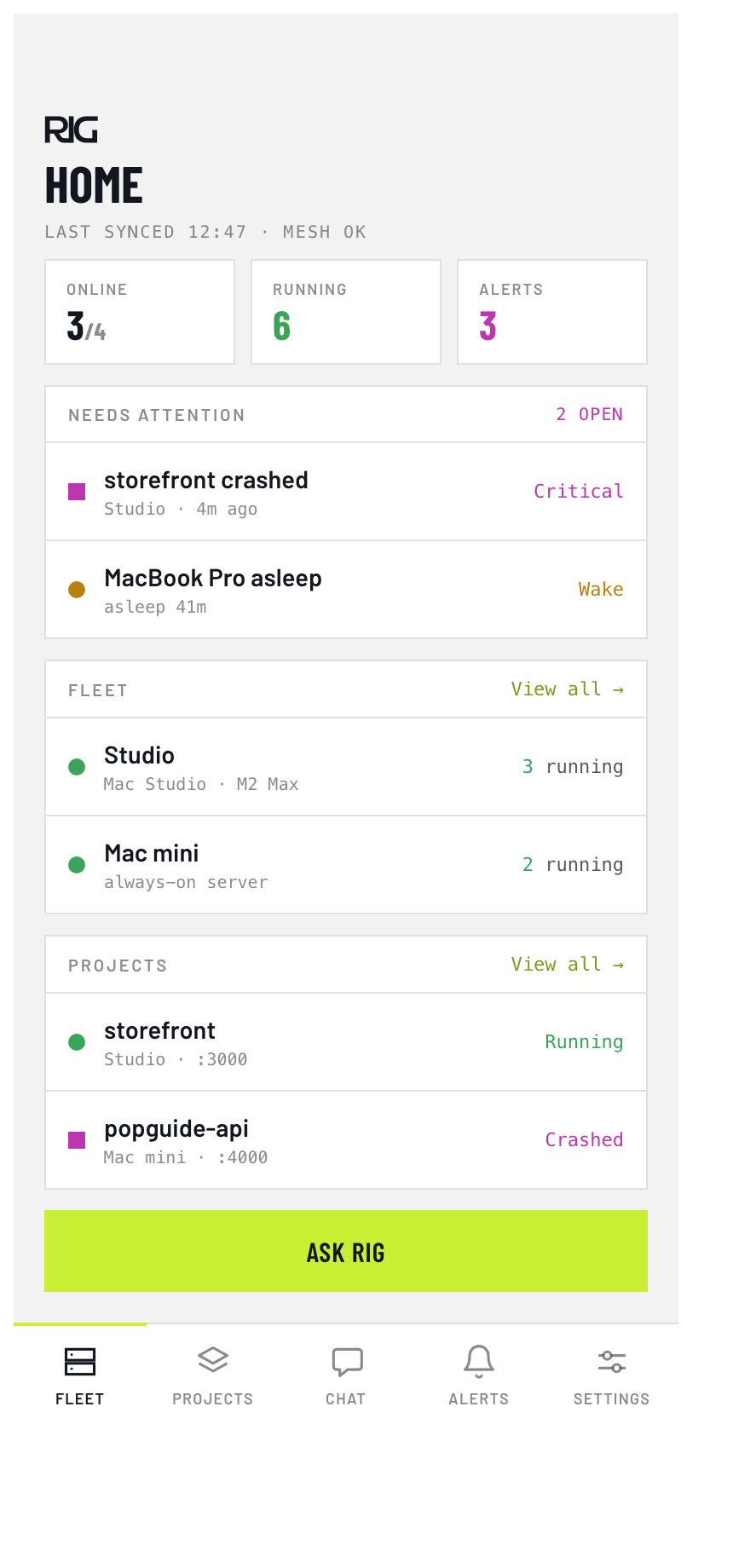
Rig iPhone home — fleet of machines with online and asleep state
Fleet
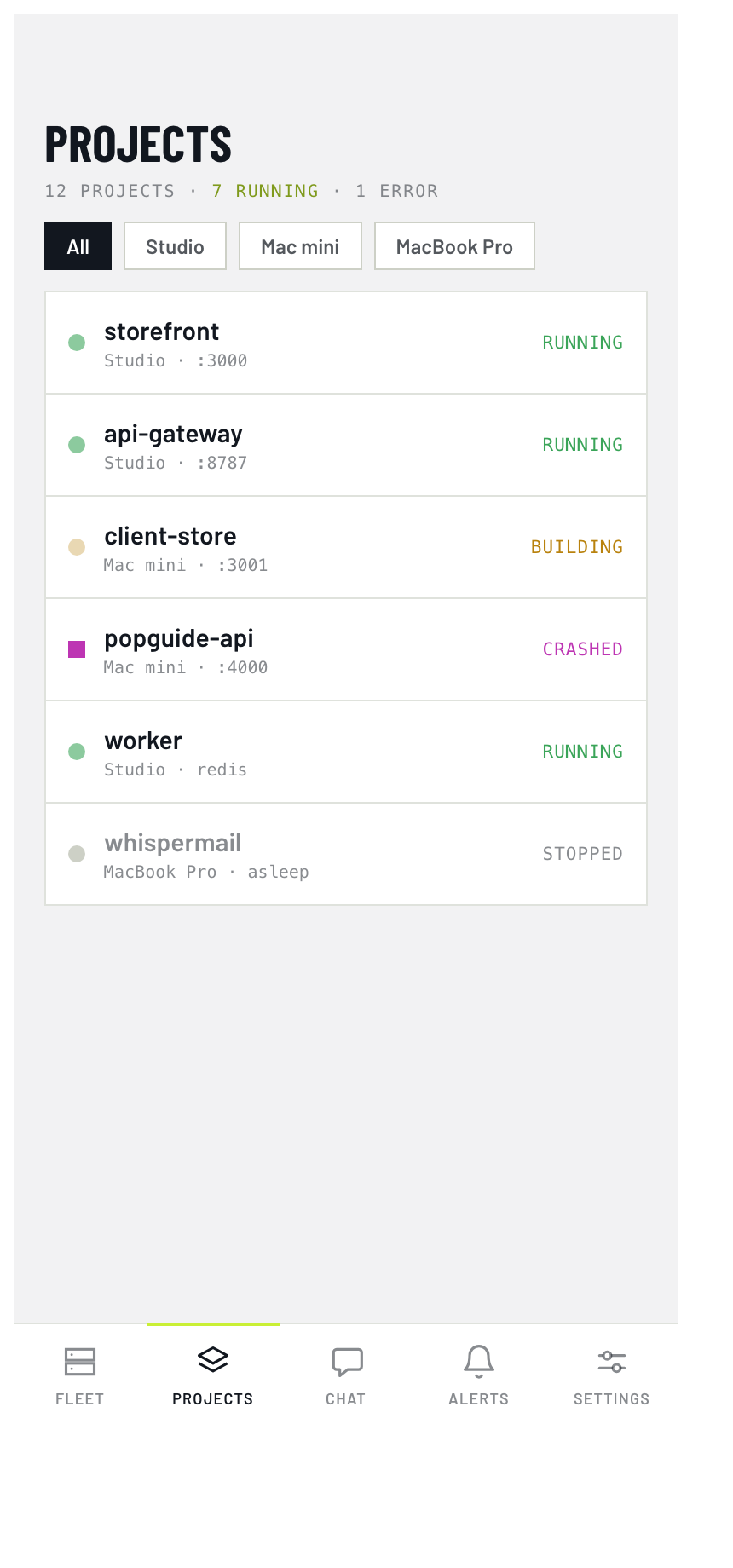
Rig iPhone projects list — running and stopped local services
Projects
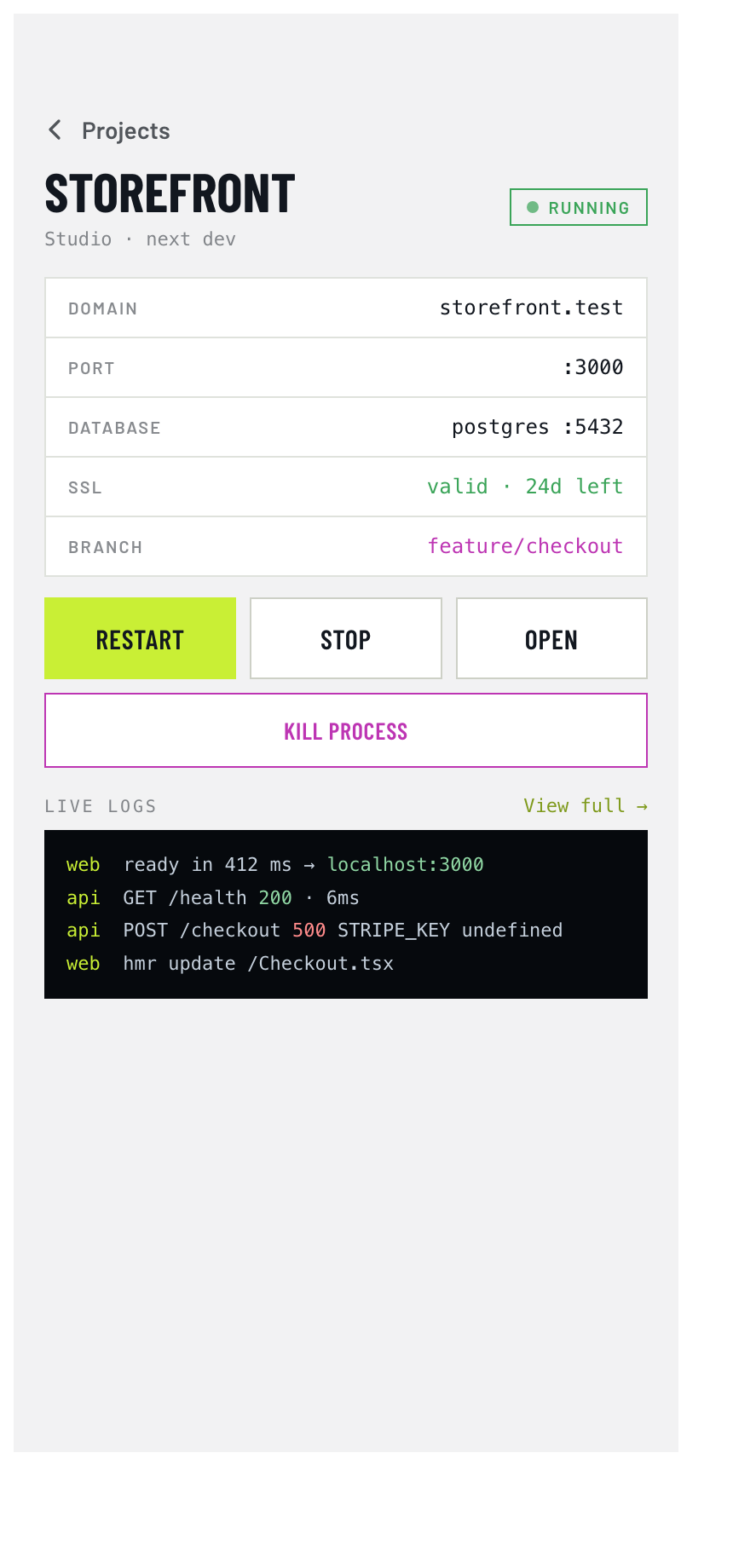
Rig iPhone project detail — start, stop, restart with confirm
Control
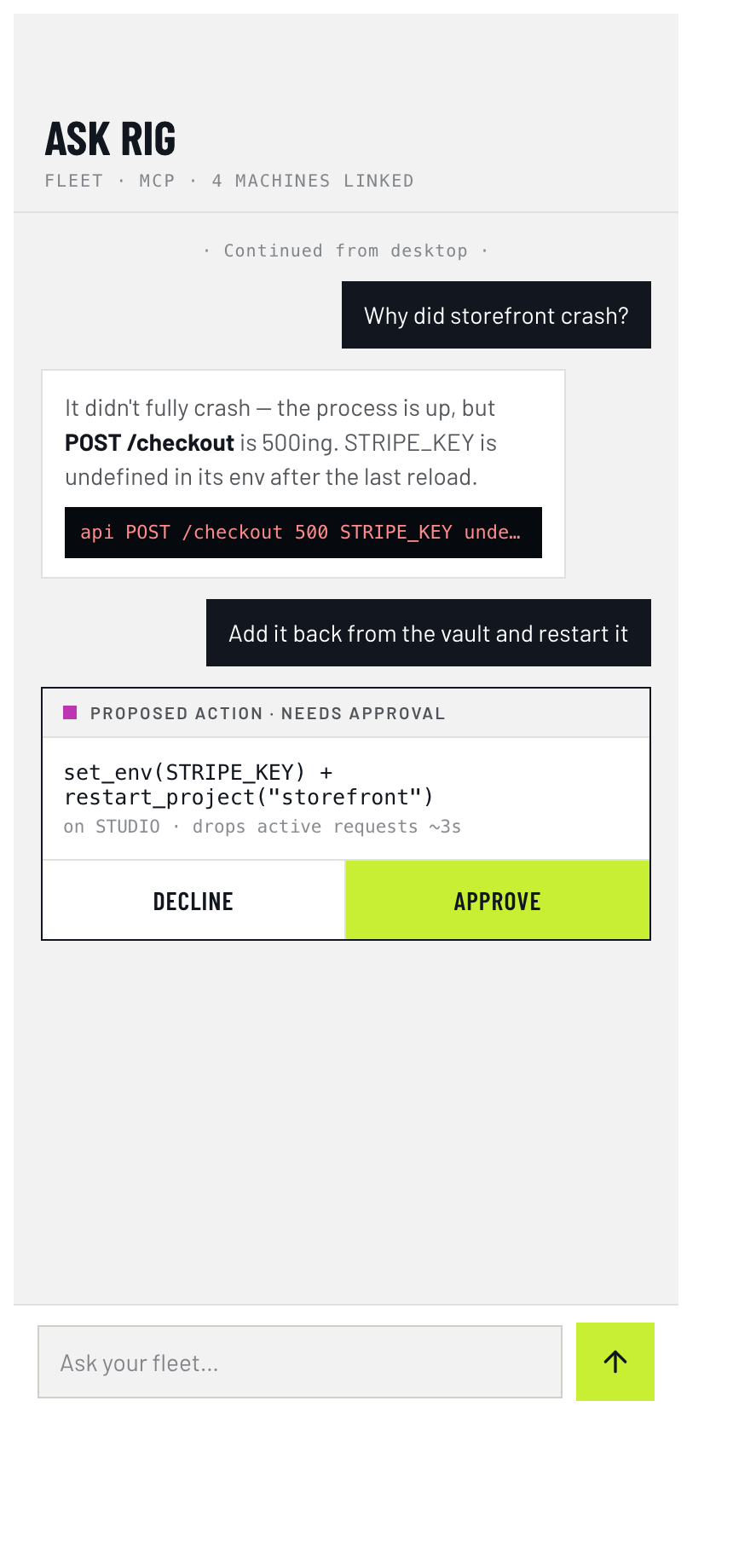
Rig iPhone chat — ask your setup in plain English
Chat
What it does

Four jobs, done from your pocket.

See your machines

Online, asleep or unreachable.

And wake a sleeping computer when Mesh is paired. Fleet home is the first screen, not a buried settings list.

Control projects

Start, stop and restart.

Control what is running on your own machines. Every write opens a confirm sheet, including from a notification. No silent remote kill.

Talk to the setup

Ask why it died.

Ask in plain English why a sidecar (a helper program, like a queue worker) died. The phone talks to the MCP hub on your computer over the mesh, not a Rig-hosted proxy of your repo. How Mesh works →

Warned early

Push when something is down.

Live Activity and widget actions open the same confirm sheet as in-app buttons. Pairing is QR only, for machines you own.

Honest limits

What it is not.

Not remote access to anyone else

Not a way to control other people’s computers. Mesh Screen and remote actions only reach computers you have paired.

Not a watch or headset app

Not an Apple Watch or Vision app.

Not the desktop app

Not a substitute for downloading Rig on your computer. The phone is the companion; the desktop app is the control plane.

Get the desktop app
FAQ

Questions about the iPhone app.

Does Rig for iPhone replace the desktop app?

No. The desktop app is the control plane. The iPhone app is the companion for seeing and acting on machines you already run with Rig.

Can it control someone else’s computer?

No. Mesh and remote actions only reach computers you have paired, typically via QR from that machine.
Pocket the fleet.

The companion to the desktop app, for machines you have paired. iOS 17 or later.