
Beta now, Pro later: an honest roadmap
Free while in beta means every feature you can use today. Pro lands later; we will not soft-paywall surprise you mid-sprint.
Read →Short, practical write-ups from the people building Rig: how to run local projects with less fuss, what changed in each release, and real setups from studios and solo developers. Pick a topic below to narrow the list.
Keep the why in your docs and the what-is-running on the board. A setup page that tries to be both goes stale by Friday.
Read the post →

Free while in beta means every feature you can use today. Pro lands later; we will not soft-paywall surprise you mid-sprint.
Read →Running is a process Rig started and is still watching — not a vibes-based green light.
Read →
macOS updates rearrange permissions and kill long-lived daemons. The board tells you what came back.
Read →
Containers are great when you need them. Most studio stacks are processes. Pick the tool that matches the shape.
Read →
Live Links are opt-in and never auto-start. Ending the call without ending the share is how previews linger.
Read →
Fill from .env.example, switch profiles, keep client keys off the personal laptop by habit — not by hope.
Read →
Managed local services can get HTTPS without you becoming a part-time PKI operator.
Read →
Menu bar modes exist so you can start/stop without opening the full window. Quiet is a feature.
Read →
A real token, real validation, and clear errors — not a mock Connect button that pretends you are linked.
Read →
When Rig or a project falls over, a redacted diagnostics bundle beats a screenshot of a stack trace.
Read →
Shared catalog, devices, and seats are enough for a studio. You do not need Kubernetes to start Vite on the other Mac.
Read →
Client previews should die when the call ends. Expiration and view limits are product features, not nagware.
Read →
Density, tray modes, and ports-on-cards should follow you when Continuity syncs prefs — not reset every Teleport.
Read →
A Procfile starts the main cast. Rig also keeps Vite, queue workers, and managed databases in the same ordered group.
Read →
When :3000 is taken, Rig shows which process owns it. Reclaim without another lsof archaeology session.
Read →
Public tips belong on the forum. Account, billing, and secrets belong in Support. Mixing them wastes everyone's time.
Read →
When userig.app has a blip, local projects keep running. The status page is about cloud, not your board.
Read →
Not your IDE. Not Herd. Not Docker. Not git. Rig is the control plane around the tools you already chose.
Read →
Hub-wide tokens are convenient. Project tokens are what you hand an agent that should not see the whole fleet.
Read →
Encrypted Continuity backups are useless without the key. Treat the key like a vault item, not a Slack paste.
Read →
A green board means the process stayed up and answered. A curl in a sticky note means you remembered to run it.
Read →
Groups are the morning stack. Presets are the reusable start shape. Mixing the words is how settings pages get scary.
Read →
Rig can stand up a PHP built-in server with pretty permalinks for WordPress folders — without adopting another stack product.
Read →
When Rig detects Valet linkage, Open site hits the *.test URL. Herd/Valet stay the runtime; Rig stays the board.
Read →
Burning watts overnight is a habit. Wake-on-mesh is the other option when the Mac at home is asleep.
Read →
Devices, seats, and orgs have soft caps while Rig is free. They exist so the fleet stays usable, not to surprise-charge you.
Read →
Pasting shell into chat is how you nuke the wrong pid. Scoped MCP restart is the boring alternative.
Read →
Cloud sync is optional. Some studios should never turn it on — and that is a feature, not a gap.
Read →
Unified logs are not vanity. They are how you stop owning a second Mac just to watch stderr.
Read →
The board is for the stack you run every day. Sticky notes are for the one-off. Mixing them is how mornings get expensive.
Read →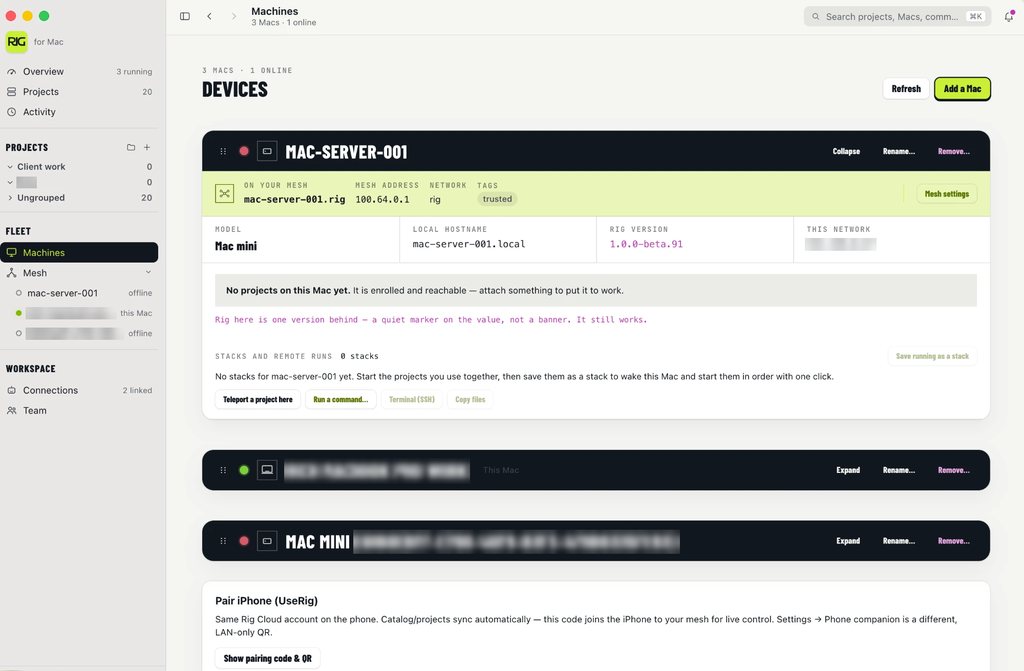
The same stack every day should not be a ritual. Rig starts the group in order, health-checks it, and leaves Terminal for the one-off commands.
Read →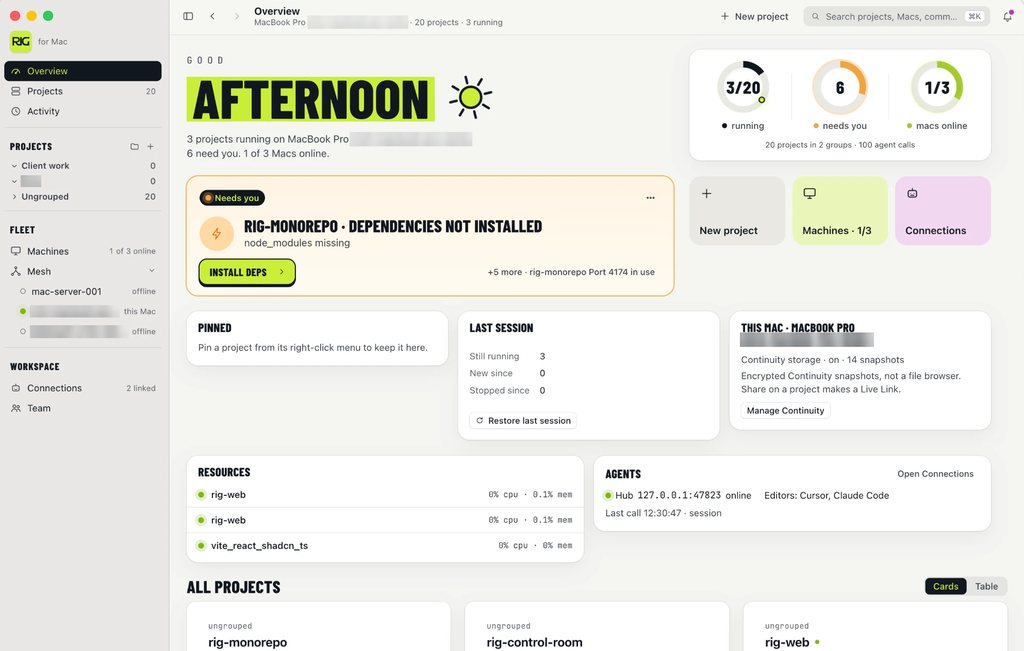
Continuity stores encrypted env shape, ports, and catalog — not your source tree. Restore a new Mac without handing the cloud a git host.
Read →
Live Link publishes your local server at a userig.app/live URL for a client review. No Cloudflare tunnel required, and the repo never leaves the Mac.
Read →Rig owns the ports your projects bind. When :3000 is taken, you see which process has it and reclaim it from the board instead of another lsof ritual.
Read →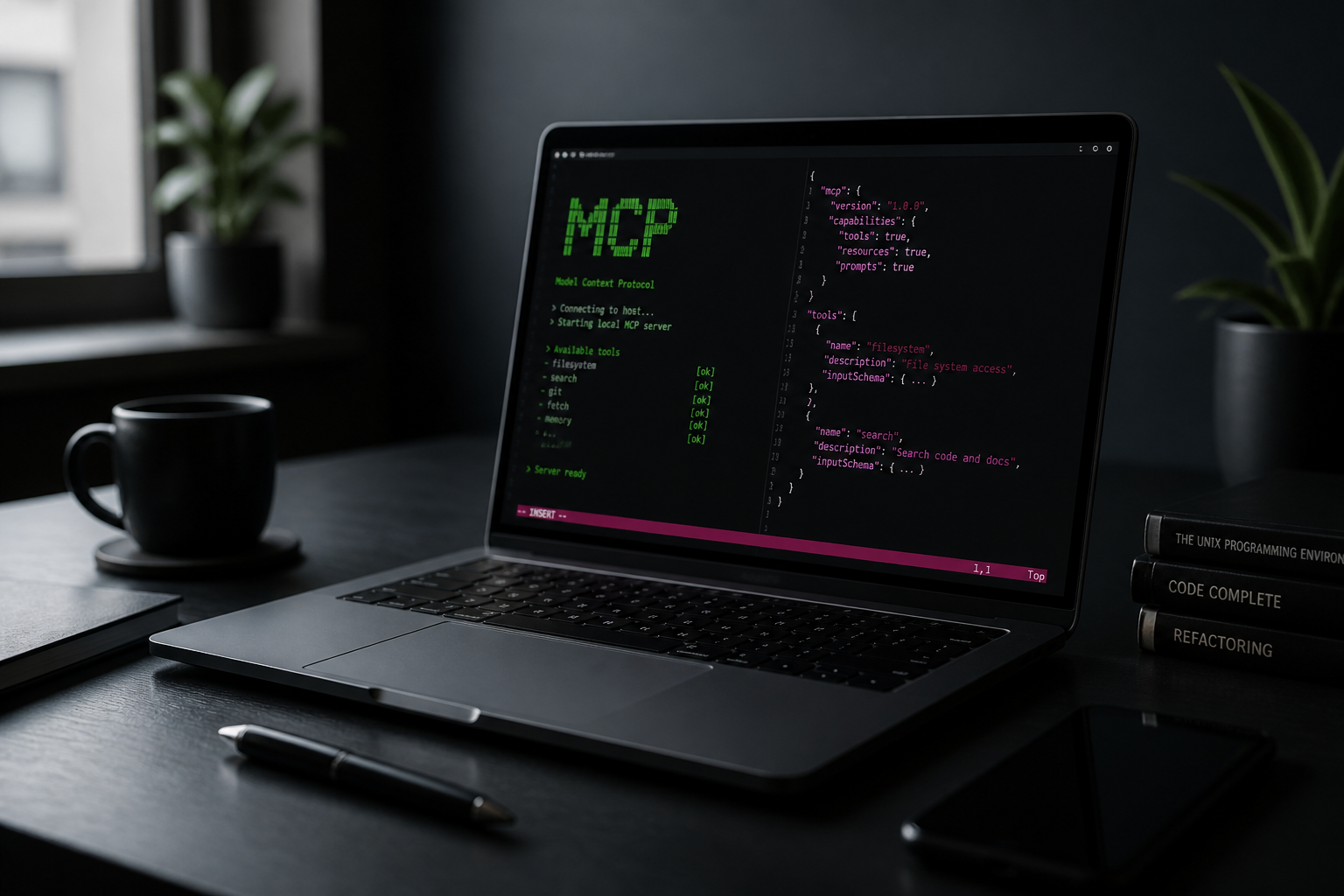
Giving Cursor your shell is a trust fall. Rig's local MCP hub hands the agent health, logs, ports, and restart — with a token you can rotate.
Read →Laravel Herd should keep serving PHP. Rig starts Vite, the queue, and MCP around it. Many studios run both — here is when that split is honest.
Read →Rig is a Mac app that discovers, starts, stops, and watches every process in your local project from one window — with logs, ports, and MCP. Not a hosted IDE.
Read →Remote start/stop across the studio's Macs — and why we didn't build another dashboard-shaped cron job.
Read →Cloud dev boxes want your repo. Rig takes the opposite bet: sync the setup, never the source. Here's the architecture and the trade-offs.
Read →Giving an agent your terminal is a trust fall. Scoped runtime tools are the safer contract — here's ours.
Read →Publish from one machine, pull the whole working setup on another — clone, env, ports, the lot.
Read →Studio workflows, MCP setups, Laravel/WordPress mornings — if you have a real story from the bench, pitch a guest post. We edit lightly and keep your byline.
No growth-hack drivel — release notes and engineering write-ups.
Works with
Available for any MCP client — including