Add a project and start it
Rig is a control panel for processes already on your Mac. You point it at a folder; it discovers how to start the stack.
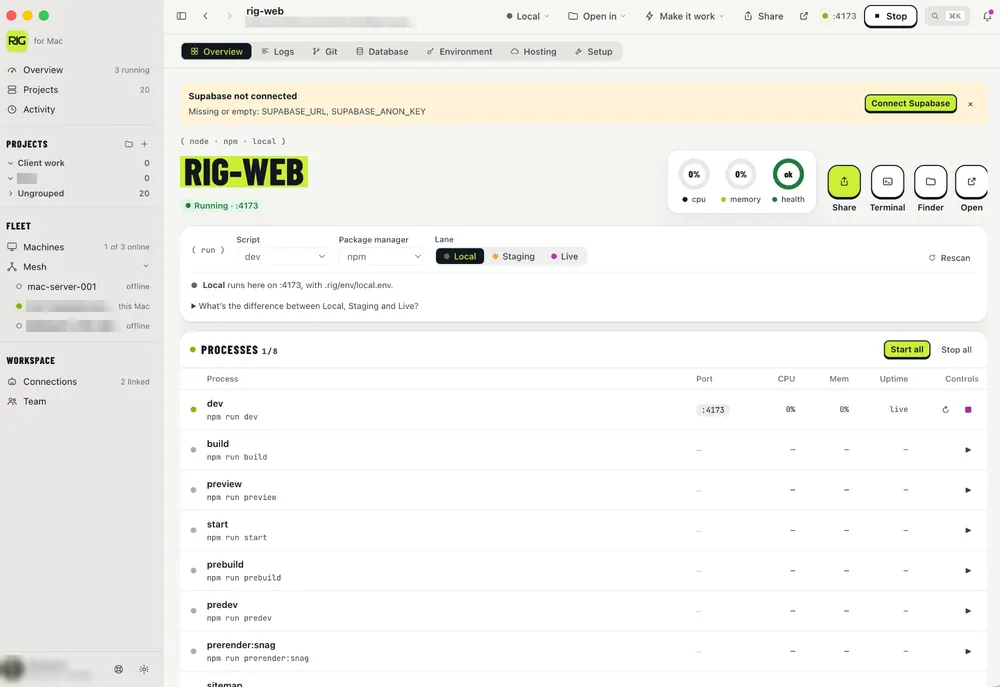
Add an existing folder
- Open Rig → add / new project (wizard or drag a folder).
- Pick the project root (the repo that has
package.json, Procfile, Compose, or Composer). - Confirm discovered scripts / processes. Adjust names or ports if needed.
- Start the project or the whole group.
What Rig looks for
- npm / pnpm / bun scripts and Procfile tasks
- Docker Compose files
- Laravel / Composer / Valet
*.testsites - Health-aware order when you use project groups
Start, stop, logs
Use the project controls to start / stop / restart. All process output streams into one searchable log pane — filter by service when something 500s. Menu bar status and notifications call out crashes and ports that need attention.
“Make this project work”
For supported stacks, Rig can install deps, suggest env, start managed DBs, and open the local URL. Use it when a fresh clone isn’t runnable yet — then check logs if a step fails.
Groups
Put API + web + worker in one group and start the group. Rig boots dependencies in a sensible order (e.g. Redis before the API).